Guide
Use DeepSeek with OpenClaw
DeepSeek offers the cheapest reasoning-capable LLM. This guide shows you how to get an API key, configure DeepSeek in OpenClaw, and pick the right model for your use case.
Quick Answer
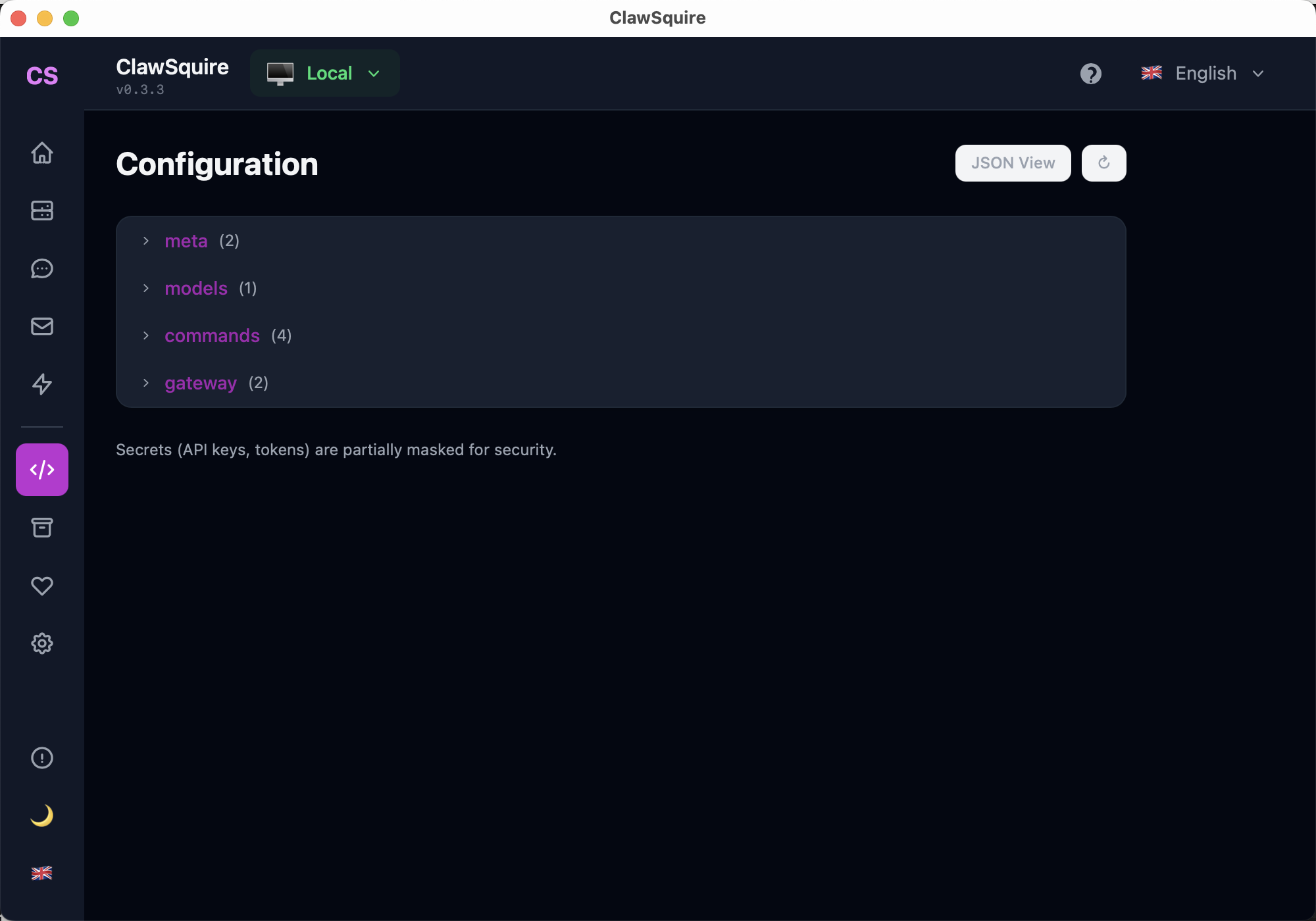
To use DeepSeek with OpenClaw: 1) Get an API key from platform.deepseek.com (add $5 credit). 2) Open ClawSquire → Configuration → expand "models" → set provider to DeepSeek and paste your API key. 3) Choose deepseek-chat for best cost/performance. 4) Test via openclaw chat or your Telegram bot.
Why DeepSeek?
Cheapest Reasoning
~$0.14/M input tokens for deepseek-chat
Strong Performance
Competitive with GPT-4 on reasoning benchmarks
OpenAI-Compatible API
Works with any OpenAI-compatible client
Get a DeepSeek API Key
Go to platform.deepseek.com and create an account. Navigate to API Keys and click Create new secret key.
Copy the key (starts with sk-). You'll need to add credit — $5 is enough for extensive testing.
💡 Pricing tip
deepseek-chat costs ~$0.14/M input tokens and ~$0.28/M output tokens. A typical conversation costs less than $0.01. $5 can last weeks of regular use.
Configure DeepSeek in OpenClaw
★ Recommended: Use ClawSquire
ClawSquire makes provider setup visual — no terminal or JSON editing needed.
- Open ClawSquire → Configuration page
- Expand the "models" section → set provider to DeepSeek and paste your API key visually
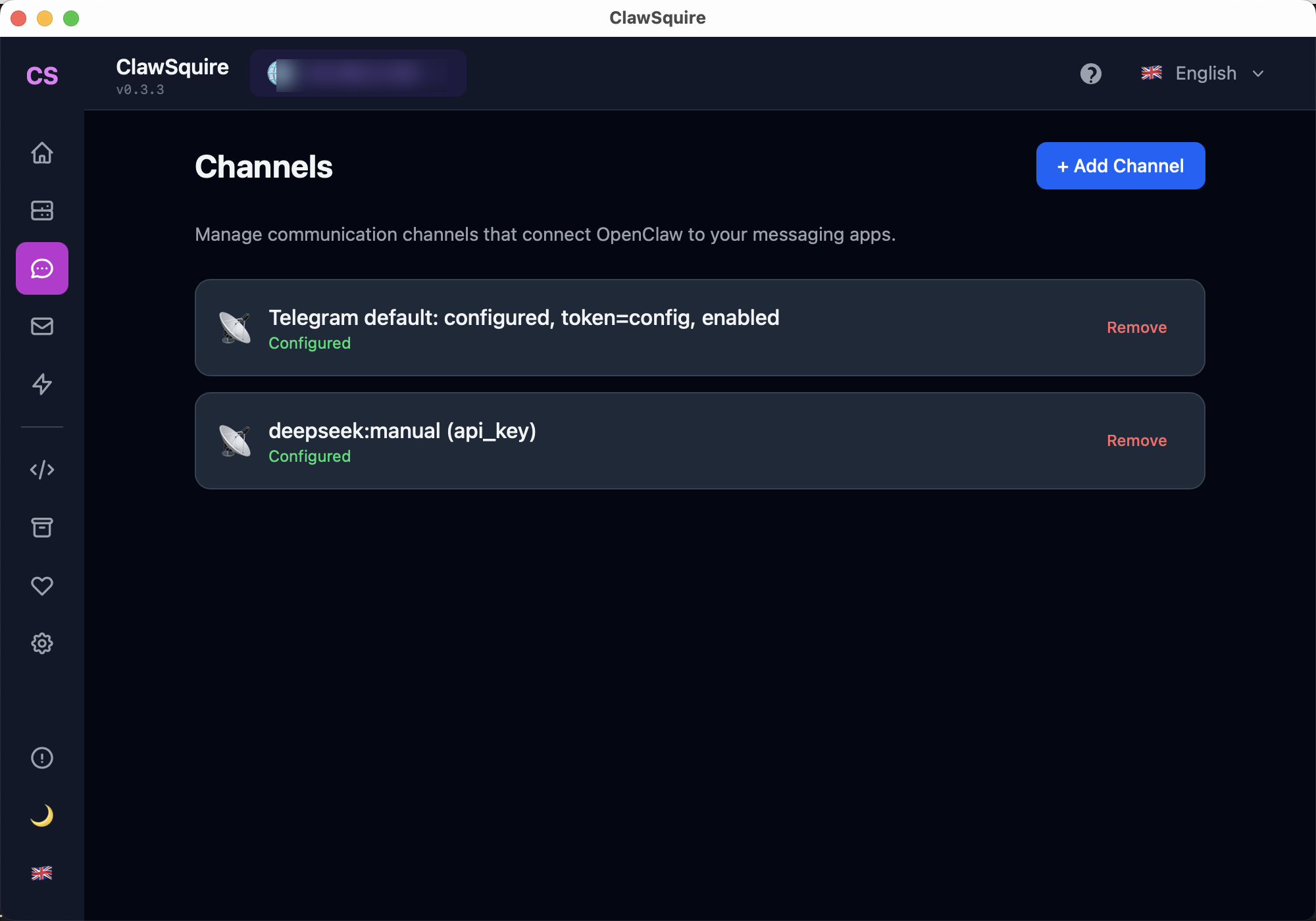
- Alternatively: the Channels page shows all configured providers at a glance
Manual Alternative
If you prefer the command line, use these CLI commands:
Create an environment file for your API key:
echo "DEEPSEEK_API_KEY=sk-your-key-here" >> ~/.openclaw/.envThen set the default model:
openclaw config set agents.defaults.model deepseek/deepseek-chatChoose the Right Model
| Model | Best For | Cost |
|---|---|---|
deepseek-chat | General conversation, reasoning | $0.14/M in |
deepseek-reasoner | Complex reasoning, math, code | $0.55/M in |
For most users, deepseek-chat provides the best balance of capability and cost.
Test the Connection
After configuration, verify everything works:
# Via CLI
openclaw chat "Hello, what model are you?"

# Or simply message your Telegram bot
The model should respond and identify itself. If you see errors, check the troubleshooting section below.
⟩Troubleshooting
"Billing error" or "insufficient balance"+
Your DeepSeek account needs credit. Go to platform.deepseek.com → Billing → Add funds. $5 is enough for extensive testing.
"No API key found for provider deepseek"+
The key needs to be in your auth store. Check that ~/.openclaw/.env contains DEEPSEEK_API_KEY and restart the gateway.
Model responds but quality is poor+
Make sure you're using deepseek-chat (not an older model). Check your system prompt isn't too restrictive.
Other LLM Providers
OpenClaw supports multiple providers. Here's a quick comparison:
| Provider | Best For | Free Tier? |
|---|---|---|
| DeepSeek | Cheapest reasoning | No (but very cheap) |
| Gemini | Free tier available | Yes (15 RPM) |
| OpenAI | Image understanding | No |
| Anthropic | Long context, coding | No |
Next Steps
- → Connect Telegram to chat with your AI on mobile
- → Full installation guide
- → Search OpenClaw issues for troubleshooting
Guided setup, health diagnostics, 7 languages.