Reference
OpenClaw Commands Reference
A practical cheatsheet of every OpenClaw CLI command you'll actually use. Copy-paste ready with real-world examples.
Quick Answer
The most common commands are openclaw gateway (start), openclaw doctor (diagnose), openclaw config get/set (configure), and openclaw dashboard (open UI). Or use ClawSquire for a visual interface.
🖱️ Use ClawSquire
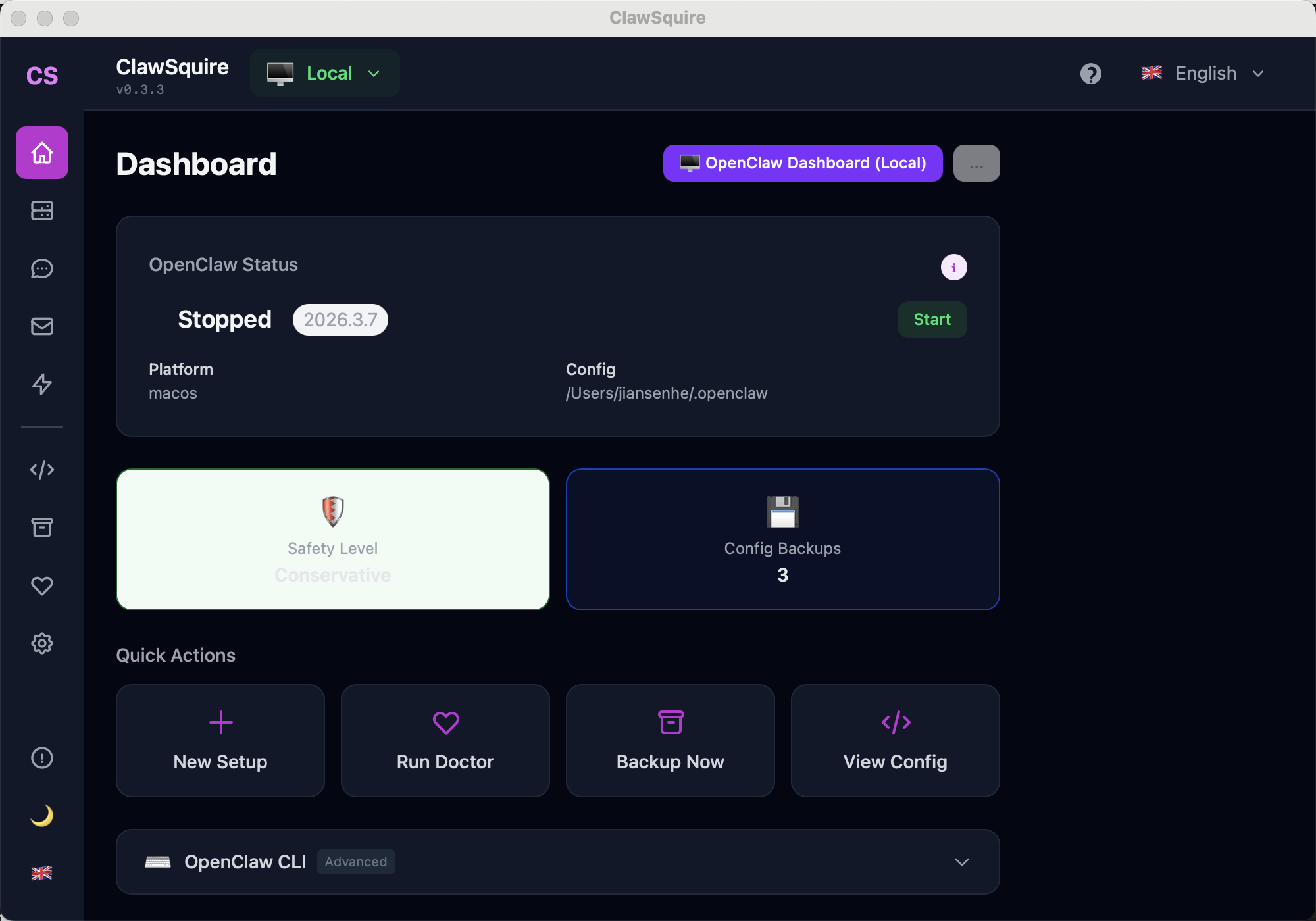
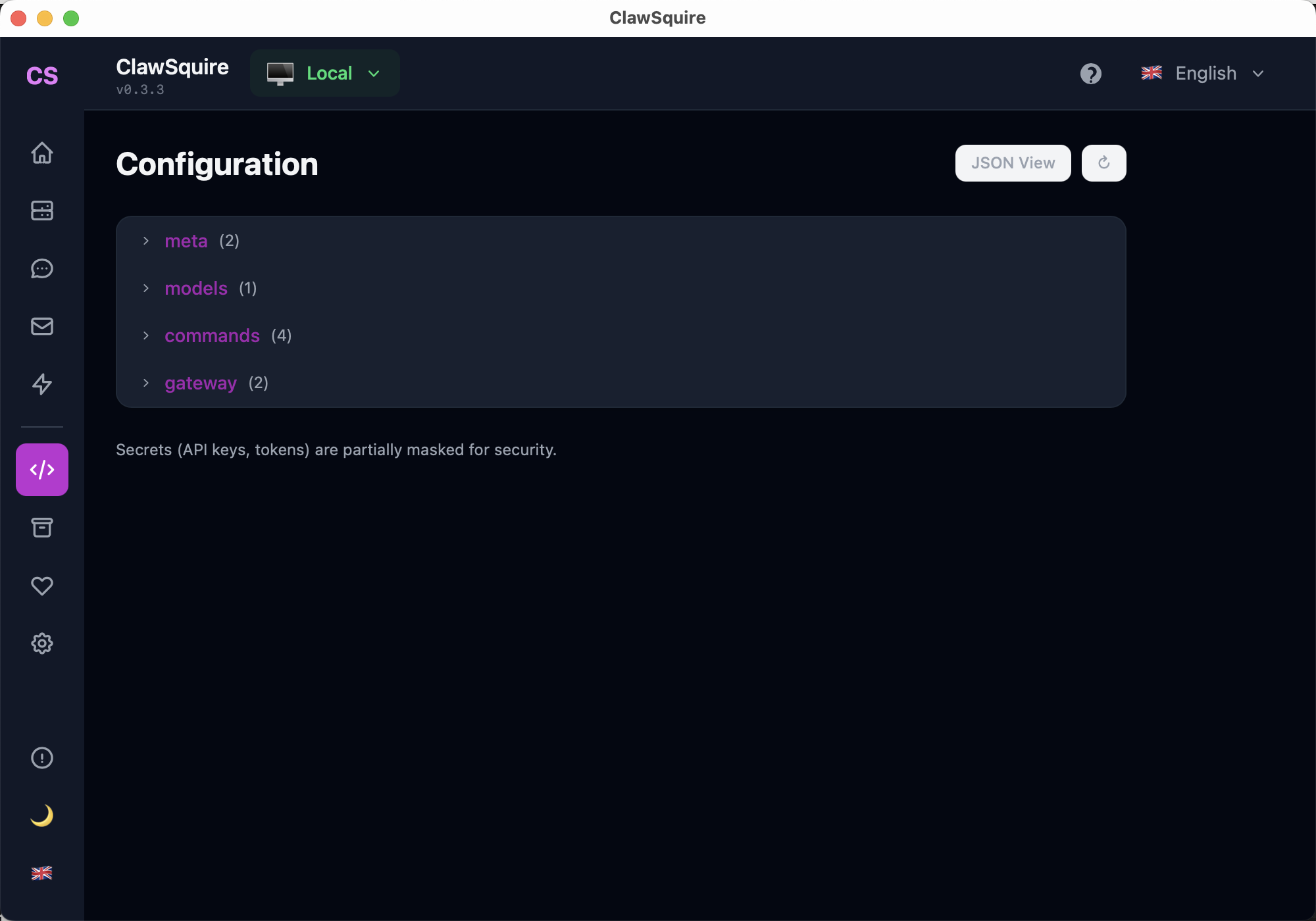
ClawSquire replaces most CLI commands with visual tools. The Dashboard Quick Actions map directly to commands: New Setup, Run Doctor, Backup Now, View Config. Config View replaces openclaw config get/set with a tree editor.
CLI Reference
🚀Gateway Commands
The gateway is the core OpenClaw process that powers everything.
# Start the gateway (foreground)
openclaw gateway

# Start the gateway (force kill existing instance first)
openclaw gateway --force

# Run gateway as background service
openclaw gateway run

# Restart the gateway (apply config changes)
openclaw gateway restart

# Check gateway health
openclaw gateway health

# Detailed gateway status
openclaw gateway status

# Install as a system service (auto-start on boot)
openclaw gateway install

# Start on a custom port
openclaw gateway --port 18790
💡 Most common issue
If the gateway won't start, another instance may be running. Use openclaw gateway --force to kill existing processes first.
⚙️Configuration
Read and write OpenClaw settings. Changes take effect after gateway restart.
# Get a config value
openclaw config get gateway.auth.token
openclaw config get agents.defaults.model

# Set a config value
openclaw config set agents.defaults.model deepseek/deepseek-chat
openclaw config set channels.telegram.botToken YOUR_BOT_TOKEN

# View entire config
openclaw config get

# Reset to defaults
openclaw config reset
Common config paths: gateway.auth.token, agents.defaults.model, channels.telegram.botToken.
💬Channels
Connect messaging platforms to your OpenClaw agent.
# Add a Telegram bot
openclaw channels add telegram --bot-token YOUR_BOT_TOKEN

# Add WhatsApp (requires Meta Business setup)
openclaw channels add whatsapp

# Add Discord
openclaw channels add discord --bot-token YOUR_DISCORD_TOKEN

# List connected channels
openclaw channels list

# Remove a channel
openclaw channels remove telegram🩺Doctor (Diagnostics)
Built-in diagnostic tool that checks your environment and fixes common issues.
# Run full health check
openclaw doctor

# Generate a gateway token
openclaw doctor --generate-gateway-token

# Fix common issues automatically
openclaw doctor --fix
The doctor checks: Node.js version, gateway connectivity, config validity, provider authentication, and channel status.
🖥️Dashboard
Open the web-based Control UI in your browser.
# Open dashboard (copies URL to clipboard)
openclaw dashboard

# Get the dashboard URL without opening browser
openclaw dashboard --url-only
Default URL: http://localhost:18789. On headless machines, it shows an SSH tunnel command instead. See our Dashboard guide for remote access setup.
🔑Models & Authentication
Manage LLM provider API keys and model configuration.
# Authenticate with a provider (interactive)
openclaw models auth paste-token --provider deepseek
openclaw models auth paste-token --provider openai
openclaw models auth paste-token --provider anthropic

# Set up Claude via setup token
openclaw models auth setup-token --provider anthropic

# List available models
openclaw models list

# Set default model
openclaw config set agents.defaults.model deepseek/deepseek-chat🛠️Skills & Agents
Skills are SKILL.md files that give your agent specialized capabilities.
# List installed skills
openclaw skills list

# Install a skill from the marketplace
openclaw skills install <skill-name>

# Create a new skill template
openclaw skills create my-skill💾Backup & Restore
Create and restore snapshots of your OpenClaw configuration.
# Create a backup
openclaw backup create

# List backups
openclaw backup list

# Restore from backup
openclaw backup restore <backup-id>
Always run openclaw backup create before major changes or before running openclaw uninstall.
🔧System Management
# Check OpenClaw version
openclaw --version

# Update to latest version
npm update -g openclaw

# Uninstall (keeps CLI, removes gateway data)
openclaw uninstall

# Full uninstall (removes everything)
openclaw uninstall --all --yes

# Preview what uninstall would remove
openclaw uninstall --dry-run