Guide
How to Restart OpenClaw
Changed your config? Added a new provider? Gateway not responding? Here's every way to restart OpenClaw and when to use each one.
Quick Answer
Restart OpenClaw: openclaw gateway restart (graceful) or openclaw gateway stop && openclaw gateway start (full restart). With ClawSquire, use the Dashboard Start/Stop buttons — no terminal needed.
Restart Gateway with One Click
The ClawSquire Dashboard shows Start/Stop buttons for the gateway. No terminal needed — click the button to restart and apply config changes instantly.
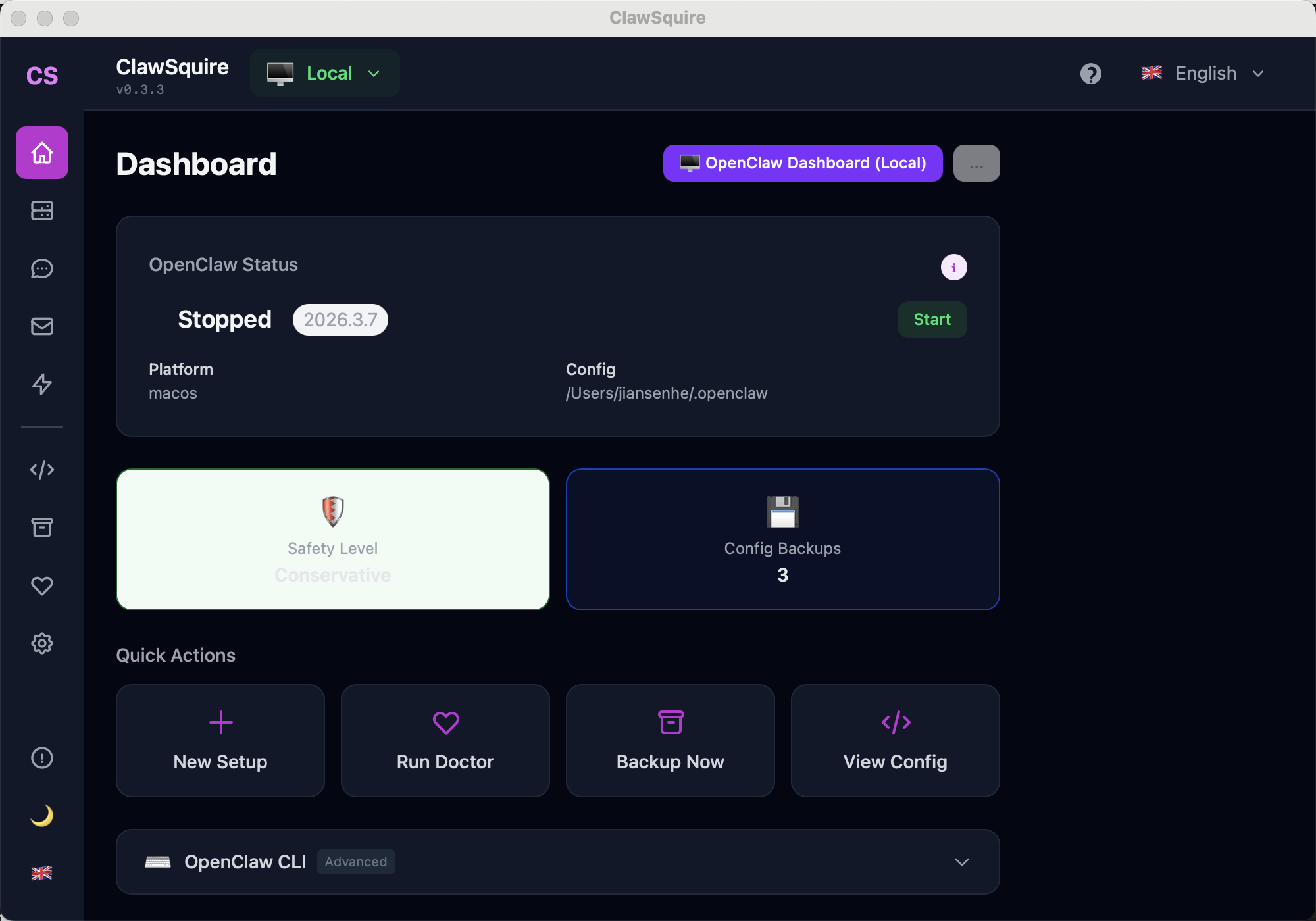
Access from Dashboard: use the Start/Stop button for the gateway. Changes apply immediately.
Manual Alternative
Restart methods from the terminal.
When do you need to restart?
Restart methods
1. Standard restart (recommended)
openclaw gateway restartGracefully stops the current gateway process and starts a new one. All configuration changes take effect. Connected channels reconnect automatically.
2. Force restart (when gateway is stuck)
openclaw gateway --forceKills any existing gateway process and starts fresh. Use this when the normal restart hangs or you see "port already in use" errors.
3. Stop and start separately
# Stop the gateway
openclaw gateway stop

# Wait a moment, then start
openclaw gateway
Useful when you want to make config changes while the gateway is down, or when debugging startup issues.
4. Restart the system service
# If installed as a system service (Linux/macOS)
sudo systemctl restart openclaw-gateway

# Check service status
sudo systemctl status openclaw-gateway

# Windows (if installed as service)
# Use Services app or:
net stop OpenClawGateway
net start OpenClawGateway
Only needed if you installed the gateway as an OS-level service with openclaw gateway install.
5. Running on a VPS? Restart via SSH
# SSH into your server
ssh user@your-server-ip

# Restart gateway
openclaw gateway restart

# Or if using PM2 for process management
pm2 restart openclaw
Verify it's running
# Quick health check
openclaw gateway health

# Detailed status
openclaw gateway status

# Full diagnostics
openclaw doctor
If the gateway is healthy, the Dashboard at http://localhost:18789 should connect without errors.
Troubleshooting
Gateway won't start after restart
Check for config errors: openclaw doctor. Common cause: invalid JSON in openclaw.json or missing required fields after an upgrade.
Port 18789 still in use after stop
The previous process may not have terminated cleanly. Use: openclaw gateway --force, or manually kill it: lsof -i :18789 (macOS/Linux) or netstat -ano | findstr 18789 (Windows).
Config changes not taking effect
Some changes (like .env file updates) require a full stop-start, not just restart. Stop the gateway, verify your .env changes, then start fresh.
Channels don't reconnect after restart
Telegram, Discord, and WhatsApp bots usually reconnect within 10-30 seconds. If not, check channel config: openclaw channels list